 (+035) 527-1710-70
 NEWSLETTER

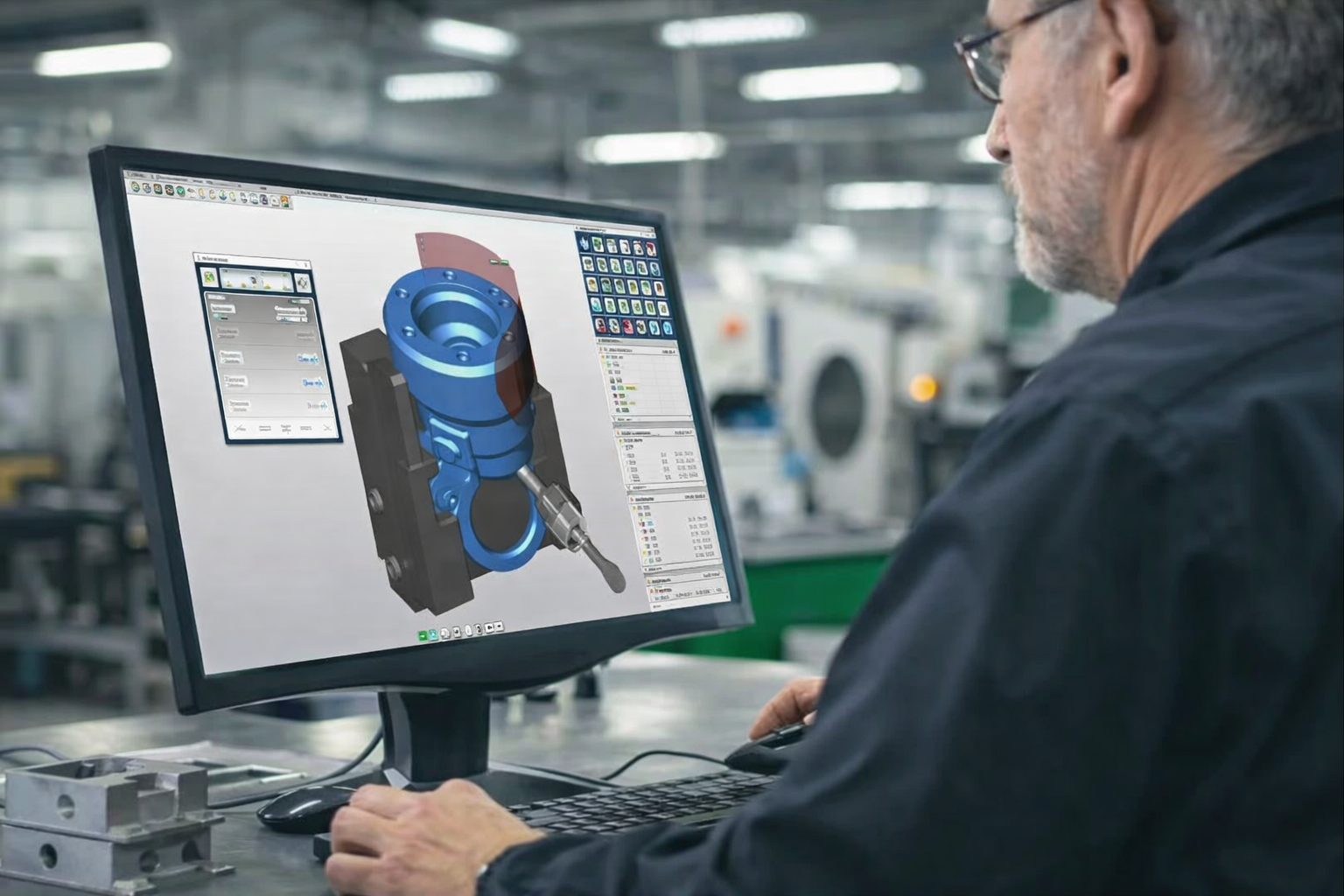
Computer-Aided Manufacturing (CAM) is a manufacturing approach that uses specialized software to control automated machinery and production processes with a high level of accuracy, repeatability, and efficiency. By converting digital product designs into machine-readable instructions, CAM enables manufacturers to produce complex parts consistently while reducing errors, material waste, and lead times.
Today, CAM is a core component of advanced manufacturing systems and is widely used alongside CNC machining, robotics, and digital production management. From rapid prototyping to high-volume production, CAM plays a critical role in improving manufacturing quality and scalability.
1. Introduction to Computer-Aided Manufacturing (CAM)
CAM refers to the use of computer software and automated equipment to plan, manage, and execute manufacturing operations. The software interprets product models—typically created using Computer-Aided Design (CAD)—and translates them into commands that machines can follow precisely.
The primary objectives of CAM include:
Improving manufacturing accuracy and consistency
Increasing production speed and efficiency
Reducing material waste and operational costs
Enhancing control over tooling, machining parameters, and workflows
Beyond machining, CAM systems also support product planning, scheduling, inventory coordination, and logistics, making them an essential part of modern digital manufacturing ecosystems.
2. How Computer-Aided Manufacturing Works
The CAM workflow begins with a digital product model created in CAD software. This model contains all the geometric and dimensional data required to manufacture the part.
CAM software then:
Analyzes the geometry and material requirements
Generates optimized toolpaths
Selects appropriate machining parameters
Converts instructions into machine language (G-codes and M-codes)
These codes are executed by CNC machines, which follow them precisely to cut, shape, or build the workpiece. Because CAM automates these steps, manufacturers gain repeatability and control that manual processes cannot match.
3. Manufacturing Processes Automated by CAM
CAM systems can automate a wide range of manufacturing processes, most of which are performed on CNC-controlled equipment.
3.1 CNC Milling
CNC milling is a subtractive manufacturing process where rotating cutting tools remove material from a solid workpiece. CAM software determines tool selection, cutting paths, feed rates, and depths of cut to achieve high precision and smooth surface finishes.
Milling is commonly used for:
Prototypes
Precision mechanical components
Mold and die manufacturing
CAM integration also enables fast cost estimation and quoting by analyzing machining complexity and cycle times.
3.2 CNC Turning
In CNC turning, the workpiece rotates while a stationary cutting tool removes material. CAM software organizes the machining sequence to optimize efficiency and accuracy.
Typical turning operations include:
Facing
Grooving
Threading
Knurling
Chamfering
CNC lathes controlled by CAM systems are ideal for producing cylindrical and rotational parts in large quantities.
3.3 Waterjet, Laser, and Plasma Cutting
CAM software can control various CNC cutting technologies with exceptional accuracy:
Waterjet cutting: Uses high-pressure water (with or without abrasives) to cut metals, composites, and stone without heat distortion.
Laser cutting: Ideal for thin metals and intricate shapes with high edge quality.
Plasma cutting: Suitable for fast cutting of conductive metals such as steel and aluminum.
CAM enables precise profiling, engraving, and nesting to maximize material utilization.
3.4 Electrical Discharge Machining (EDM)
EDM uses controlled electrical sparks to erode material from a workpiece. This process is especially effective for:
Hard or heat-resistant materials
Complex internal geometries
Tight tolerances
CAM software precisely controls spark parameters, enabling consistent and repeatable results even on challenging materials.
3.5 CNC Routing
CNC routers operate similarly to milling machines but are often used for lighter materials and larger work envelopes. CAM-controlled routers are commonly applied in:
Woodworking
Plastics and composites
Aluminum sheets
Glass and foam
They are widely used in furniture, signage, and panel manufacturing.
3.6 Additive Manufacturing (3D Printing)
CAM is not limited to subtractive processes. It also plays a role in additive manufacturing by controlling layer-by-layer material deposition.
CAM-driven 3D printing enables:
Rapid prototyping
Complex geometries not possible with machining
Reduced tooling requirements
This flexibility makes additive manufacturing an important complement to CNC-based CAM processes.
4. Advantages and Disadvantages of Computer-Aided Manufacturing
4.1 Advantages of CAM
High Speed and Accuracy
CAM systems dramatically reduce production time while maintaining tight tolerances and consistent quality across multiple parts.
Reduced Material Waste
Optimized toolpaths and nesting strategies minimize scrap and improve raw material utilization.
Lower Long-Term Labor Costs
Although skilled operators are required, CAM reduces dependence on large manual workforces and minimizes human error.
Enhanced Process Control
Manufacturers gain detailed control over tooling, stock material, machining parameters, and production sequences. Toolpath associativity ensures quick updates when design changes occur.
4.2 Disadvantages of CAM
High Initial Investment
CAM software licenses, CNC machines, and maintenance costs can be significant, especially for small manufacturers.
Need for Skilled Personnel
Operators and engineers must be trained to use CAM systems effectively, which requires time and ongoing education.
Risk of Downtime
Machine or system failures can halt production entirely, particularly in fully automated lines.
Design-Related Waste
Poorly optimized CAD models can still result in unnecessary material waste if manufacturability is not considered early.
5. Applications of Computer-Aided Manufacturing Across Industries
5.1 Aerospace Industry
Aerospace manufacturing demands extreme precision, traceability, and compliance with strict safety standards. CAM enables:
Complex free-form surfaces
Machining of exotic materials
Consistent quality for flight-critical components
5.2 Automotive Industry
CAM supports the automotive industry throughout the entire product lifecycle—from prototyping to mass production. It integrates well with lean manufacturing and Just-in-Time systems, reducing costs and lead times while maintaining quality.
5.3 Other Key Industries
CAM is also widely used in:
Consumer electronics and hardware
Medical and biomedical devices
Pharmaceutical equipment
Industrial machinery manufacturing
Virtually all modern mass-production environments rely on CAM to remain competitive.
6. CAD vs CAM: Understanding the Difference
CAD (Computer-Aided Design) focuses on design and visualization, while CAM focuses on manufacturing execution.
CAD creates 2D and 3D digital models
CAM converts those models into machine instructions
Although they serve different purposes, CAD and CAM are deeply interconnected. Effective manufacturing depends on seamless data transfer between the two.
7. CAD to CAM Process Workflow
7.1 Design Stage
Designers create detailed CAD models while considering material properties and manufacturability.
7.2 Coordinate Definition
Reference points and coordinate systems are established to guide machining operations.
7.3 Manufacturing Simulation
CAM software simulates the machining process to detect collisions, errors, or inefficiencies before production begins.
7.4 Toolpath Generation and Code Creation
The software generates optimized toolpaths and selects appropriate machining parameters such as speed, feed rate, and depth of cut.
7.5 CNC Setup and Production
Machinists prepare the machine, load tools, run test cycles, and execute the production program.
7.6 Quality Control and Post-Processing
Finished parts are inspected, assembled if needed, and finished before shipment.
8. Popular CAD/CAM Software Tools
Some of the most widely used CAD/CAM platforms include:
Fusion 360
SolidWorks CAM
Solid Edge CAM Pro
CATIA
Choosing the right software depends on production complexity, industry requirements, and integration needs.
9. Conclusion
Computer-Aided Manufacturing has become a cornerstone of modern manufacturing. By combining digital design, automated machinery, and intelligent software, CAM enables manufacturers to achieve higher accuracy, lower costs, and faster production cycles.
For companies seeking scalable production, consistent quality, and reduced time-to-market, CAM-driven manufacturing is no longer optional—it is essential. Partnering with an experienced CAM-enabled manufacturer can significantly improve product performance and overall supply chain efficiency.
FAQs
1. Is CAM suitable for both prototyping and mass production?
Yes. CAM supports rapid prototyping as well as low- and high-volume production, allowing manufacturers to scale efficiently without changing workflows.
2. What types of machines can CAM software control?
CAM software can control CNC milling machines, lathes, routers, EDM machines, laser, plasma, waterjet cutters, and some additive manufacturing systems.
3. How does CAM improve part consistency?
CAM uses standardized toolpaths and machine-controlled parameters, ensuring each part is produced with the same dimensions, surface finish, and tolerances.
4. Can CAM reduce manufacturing lead time?
Yes. By automating programming, simulation, and machining, CAM significantly shortens setup time and production cycles compared to manual processes.
5. What file formats are commonly used in CAM?
Common formats include STEP, IGES, STL, DXF, and native CAD files, depending on the CAM software and machine requirements.
6. Does CAM eliminate the need for skilled machinists?
No. Skilled operators are still required for programming, setup, monitoring, and quality control, but CAM reduces manual intervention and human error.
7. How important is design-for-manufacturing (DFM) in CAM?
DFM is critical. Well-designed CAD models reduce machining complexity, prevent errors, and help optimize cost, lead time, and material usage.
8. Is CAM cost-effective for small businesses?
CAM can be cost-effective when using subscription-based software and outsourced CNC services, allowing small businesses to access advanced manufacturing without large capital investment.